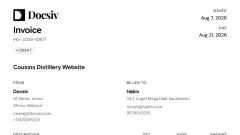






Drafts in their brand and voice
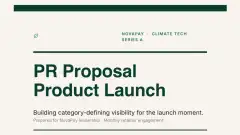
Docsiv writes with the kit’s tone, tagline and keywords, and lays out every page in its colours and fonts.

 AI Document CreationTurn notes and briefs into polished documentsClient PortalBranded client workspaces on your domainProject ManagementRun every client engagement on one boardBrand Kits and preferenceLock fonts, colours, and tone per clientDocument AnalyticsSee who opens, reads, and signsMedia LibraryOne asset store, filtered per client
Keep each client’s logo, colours, fonts and voice in one kit, plus one for your own agency. Pick a kit and Docsiv drafts, designs and exports in that brand.
Paste a link and Docsiv fills in the kit. You check it, tweak it, and save.
Docsiv scans the site in the background for the logo, colours, fonts and tone. Importing a client list? Scan every site at once.
Nothing is saved until you apply it. Keep what fits, untick what doesn’t, and adjust any colour or font.
Pick a tone, then add the tagline, keywords and writing guidelines Docsiv should follow.
Choose the client’s kit when you create a document. Everything Docsiv makes for it follows the brand.
Docsiv writes with the kit’s tone, tagline and keywords, and lays out every page in its colours and fonts.
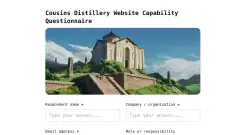
Invoices and forms switch between your workspace brand, the client’s kit and custom colours in one click.
Generate images with the kit’s palette in mind and the client’s logo as a reference.
Header and footer templates pull in the logo, name and contact details. Exports keep the brand, from PDF to PowerPoint.
Each client gets a read-only view of their colours, fonts and voice in the portal, under your agency’s brand.
Your own logo, colours and fonts are the default for everything you send as the agency.
The brand kit is the foundation. Here’s what it powers everywhere else.
Set up each client’s brand once, then use it in every document you make for them.