






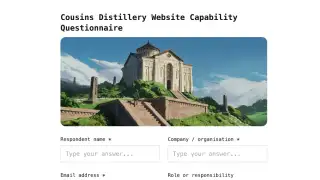
Add the client and their brand kit
Logo, colors, typography, and voice notes live on the client, so every document for them starts on brand.

 AI Document CreationTurn notes and briefs into polished documentsClient PortalBranded client workspaces on your domainProject ManagementRun every client engagement on one boardBrand Kits and preferenceLock fonts, colours, and tone per clientDocument AnalyticsSee who opens, reads, and signsMedia LibraryOne asset store, filtered per client
Docsiv drafts the proposals, reports, and contracts your account managers send, in each client’s brand. Clients review, approve, and sign them in a portal under yours.

Proposals in Google Docs. Decks in Canva. Contracts in DocuSign. Files in Dropbox. Every client sees a slightly different version of your brand, and the team spends Friday restyling documents instead of sending them. Docsiv puts the drafting, the brand, the delivery, and the signature in one place.
The same three steps for your first client and your fortieth.
Logo, colors, typography, and voice notes live on the client, so every document for them starts on brand.
Drop in the brief, last month’s numbers, or a call transcript. Docsiv pulls in the client’s brand kit, media library, and past documents, then writes. You review before anything goes out.
Each client gets a portal under your brand. The Action Center lists what needs their signature, approval, or files, and what is due.
The pieces agencies use every week, each one attached to the client it belongs to.
Place signature, initials, and date fields, set the signing order, and send. Every signed document carries an audit trail and a certificate of completion. No separate e-sign tool.
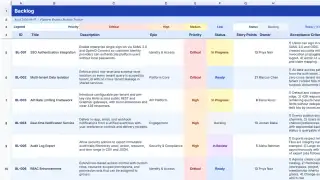
Board, list, and timeline views for the work behind each document. You choose which tasks show in the client portal.
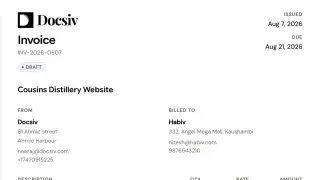
Line items, tax, and totals worked out for you. Track each invoice from Draft to Ready, Sent, and Paid, with a Pay now button that opens your payment link.
Total views, unique viewers, and time on each document, plus the sections that held their attention. Get an email the moment a client opens it.
Each one is a real Docsiv document type, drafted by Docsiv and delivered under your brand.
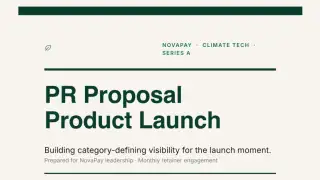
 Campaign proposalsProposal
 Monthly performance reportsReport
 Pitch decksDeck · PPTX export
 Retainer contractsContract
 Statements of workDocument
 Creative briefsBrief
 Client intake formsForm
 Social graphicsDesign
 Retainer invoicesInvoice
 Website feedback roundsSite review
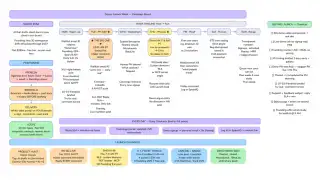
 Workshop boardsWhiteboard
 Media plansSheet · beta
Something else? Ask us directly or compare plans.
Everything on this page is part of the same workspace. Go deeper on the parts you use most.
Every client, their brand, their portal, and every document you send them.